Find the best Upwork jobs before everyone else.
SnipeWork scans Upwork every minute through the official API, ranks every job by fit and client quality, and drafts a proposal in seconds. You review and send every proposal yourself.
14-day trial with live alerts and 5 AI proposals. Then keep the Free plan or upgrade.
- Official Upwork API
- No auto-bidding, no ban risk
- 14-day money-back
- Cancel anytime

Illustration. Job titles and numbers are examples, not live data.
Live Real jobs from our scanner, refreshed every minute. The draft and alert steps are a preview. Client Verified fixed Draft proposal posted just now posted {n} min ago posted {n} h ago Less than 5 proposals 5 to 10 proposals 10 to 15 proposals 15 to 20 proposals 20 to 50 proposals 50+ proposals {n} today +{n} new Filtered out weak client too many proposals Writing a proposal from your profile Draft ready to review Sent to TelegramLast scan:
Open the market dashboard
Why Upwork search quietly costs you contracts
The job you want is out there. Upwork search just shows it to you late, mixed in with clients who never hire.
The first hour decides
Clients read replies while they are still online, usually in the first 15 to 60 minutes after posting. A great proposal sent three hours later often goes unread.
Good jobs fill up fast
Well-paid posts can reach 30 or more proposals within hours. By then you are one voice in a crowd, and your Connects buy less.
Bad clients hide behind nice posts
Upwork search cannot filter by hire rate or client score. A polished post from a client who rarely hires costs the same Connects as a real opportunity.
And refreshing the feed all day is not a strategy. It is a second job.
From new job to sent proposal in four steps
SnipeWork does the watching, ranking and first draft. The decision and the send button stay with you.
-
01
Scan
Every minute SnipeWork reads new Upwork jobs through the official API and keeps the ones that match your skills, keywords, budget and countries.
-
02
Score
Each job gets a 0-100 fit score for your profile and a client quality score, so the best opportunities rise to the top.
-
03
Draft
One click writes a personalized proposal in about 4 to 10 seconds from the job details, your profile and your portfolio links.
-
04
You send
You review, edit and submit it on Upwork yourself. SnipeWork never logs in to your account and never bids for you.
Judge the client before you spend a single Connect
SnipeWork reads the client signals Upwork search does not let you filter on, then hides or ranks jobs by them.
- Client score 0-100 from payment status, hire rate, total spend, rating, competition and job age.
- Hire rate: how often this client actually hires after posting.
- Payment verification, inferred from spend and hires when Upwork hides the flag.
- Proposals and job age limits, so you skip crowded and stale posts.
Example job card. Values are illustrative.
Hear about the right job while it is still fresh
Matching jobs go straight to your phone with the budget, country and client grade, so you can decide in seconds.
Telegram
Instant alerts on the trial and on every paid plan. Open the job or draft a proposal right from the chat.
Discord
Alerts to any channel you choose through a webhook, on Pro and Ultra.
| Plan | Job feed | Instant alerts |
|---|---|---|
| Free | 60-minute delay | Not included |
| Trial and Starter | Live | Telegram |
| Pro and Ultra | Live | Telegram, Discord |
A strong first draft in seconds. The final word is yours.
SnipeWork writes from the job post and your saved profile, not from a template with the name swapped. You edit, then send it on Upwork.
- Drafted in about 4 to 10 seconds
- Uses your skills, rates and portfolio links, plus proposals you liked as style examples
- Quality grade from S to D with specific tips before you send
- Nothing is sent automatically. You copy, adjust and submit.
Hi, you need the shipment dashboard to stay fast with 50k+ rows, and the current table freezes whenever someone filters.
I rebuilt a similar React dashboard for a freight client: virtualized tables, server-side filtering and cached queries. Their slowest view went from several seconds to instant.
My first step would be a short profiling pass on your slowest screen, then a fix plan with estimates. Want me to share how I would approach it on a quick call?
Past similar work: yourportfolio.com/logistics-dashboard
Built to keep your Upwork account safe
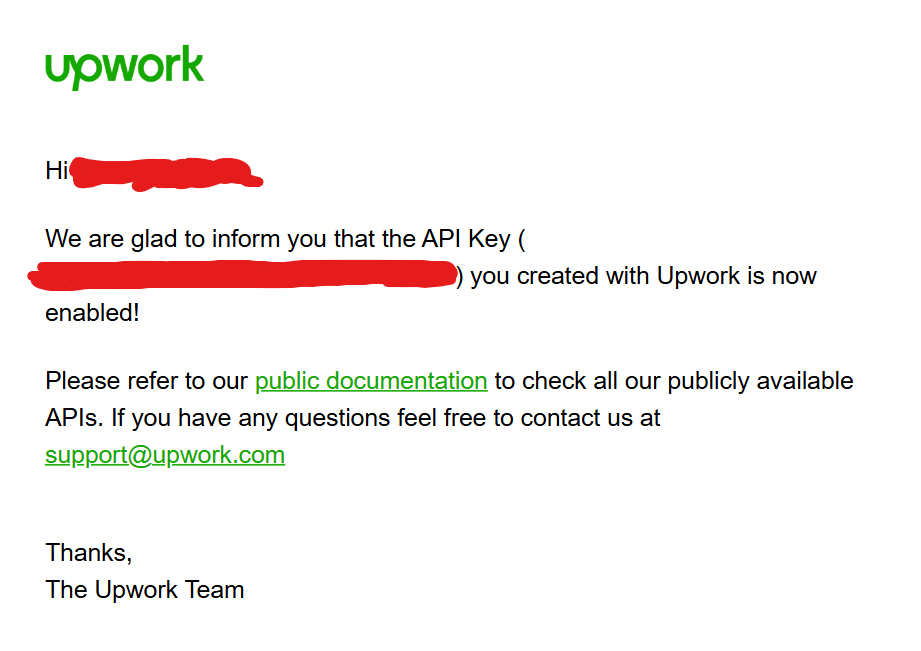
Official Upwork API
Jobs are read through Upwork's approved OAuth 2.0 API. No scraping, no browser bots. See the API approval.
Human in the loop
SnipeWork never submits proposals. You send every one yourself, which keeps your workflow inside Upwork's rules.
Only what the product needs
Your settings, scanned jobs, drafts and alert connections. Never your Upwork password. Privacy policy.
Paddle checkout
Paddle is the merchant of record and handles payments, taxes and invoices. 14-day money-back on every payment.
Independent
Built and run by a solo founder in Ukraine since March 2026. Bootstrapped, and not affiliated with Upwork.
Where SnipeWork fits
Three ways to find work on Upwork. Pick the one that matches how you want to work.
| Feature | Upwork search alone | Auto-bidding tools | SnipeWork |
|---|---|---|---|
| New jobs reach you | When you refresh | Automatically | Every minute, with Telegram alerts |
| Hire-rate and client-score filters | Not available | Varies by tool | Built in |
| Proposals | You write each one | Written and sent for you | Drafted in seconds, you edit |
| Who sends the proposal | You | The tool | You |
| Applies while you sleep | No | Yes | No, by design |
| Pricing | Free to search | Varies | Public, from $15/month |
Auto-bidding tools differ. Check each tool and Upwork's rules before you let software apply for you.
The Upwork market, measured
Free and public: average budgets and hourly rates by category, demand trends and a weekly Market Index you can cite. No signup needed.
Public prices. Start free, upgrade when it pays.
Every account starts with a 14-day trial: live feed, instant alerts and 5 AI proposals. No card needed.
Keep an eye on the market at your own pace.
- Job feed with a 60-minute delay
- Keyword and category filters
- Fit score on every job
- No AI proposals, auto-scan or instant alerts
For freelancers who apply a few times a day.
- 10 AI proposals per day
- Live feed, no delay
- Instant Telegram alerts
- 2 hours of auto-scan per day
- Proposal history and quality scoring
For freelancers who bid every day.
- 30 AI proposals per day
- 6 hours of auto-scan per day
- Telegram and Discord alerts
- Everything in Starter
For full-time freelancers who live on Upwork.
- Unlimited AI proposals
- 24/7 scanning
- Drafts learn your style from proposals you like
- Translate jobs and proposals
- Priority support, everything in Pro

"I built SnipeWork for my own freelancing first. I was tired of refreshing Upwork and finding great jobs hours late, and I did not want a bot bidding for me and putting my account at risk. So SnipeWork does the watching and the first draft, and I still decide and send every proposal myself."
Questions, answered plainly
Is SnipeWork safe for my Upwork account?
Does SnipeWork apply to jobs automatically?
What is the difference between Free and paid plans?
How fast are the alerts?
How does the free trial work?
Do you store my Upwork password?
Which languages does SnipeWork support?
Can I get a refund?
Can I cancel anytime?
Who is behind SnipeWork?
Try it free for 14 days, no card
Set your filters once. The next good job in your niche comes to you.